

Half of a good statistical display is choosing the right graph in the first place. The choice almost always comes down to one question: what kind of variables are you working with? Here’s a quick guide you can use with a class.
One categorical variable
Use a bar graph for counts, or a pie / donut chart when the message is about proportions of a whole. Bar graphs are usually easier to read accurately; pies work best with only a few categories.
One numeric variable
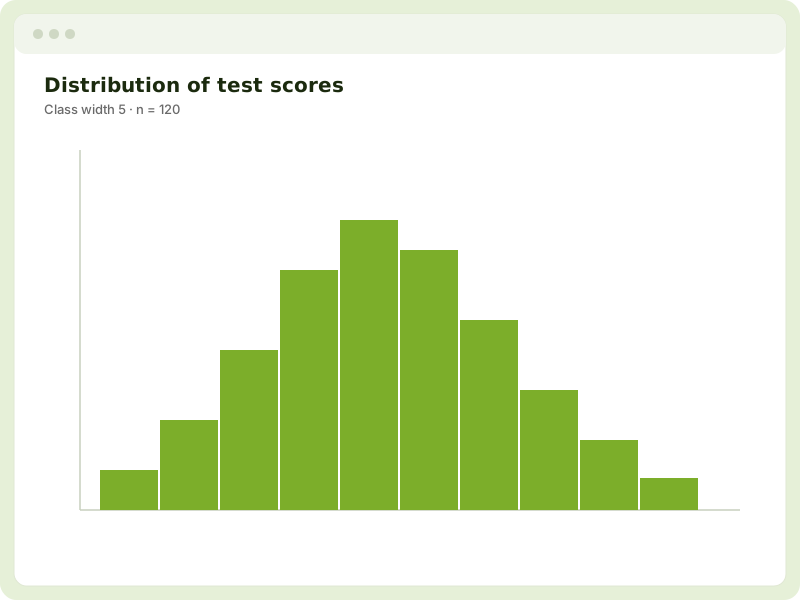
Use a dot plot for smaller datasets, every value is visible, and you can overlay a box and whisker for the five-number summary. For larger datasets, a histogram groups values into classes and shows the overall shape.
Two numeric variables
Use a scatter graph to look at the relationship between them. Add a regression line and check the correlation to describe the trend and how strong it is.
A numeric variable measured over time
Use a time series. If there’s a repeating pattern, decompose it into trend and seasonal effects, and project ahead with a forecast.
Comparing groups
Whatever the variable, splitting by a grouping variable lets you compare. Dot plots and box-and-whisker displays line groups up on the same scale, which makes “I notice that…” comparisons straightforward.
A simple rule of thumb
| You have… | Reach for… |
|---|---|
| One category | Bar graph or pie |
| One number | Dot plot or histogram |
| Two numbers | Scatter graph |
| Number over time | Time series |
| Groups to compare | Dot plot + box & whisker |
All of these are a click away in KiwiGrapher. Open the app and try a few on the same dataset to see which tells the clearest story.