The fastest way to judge KiwiGrapher is to open it and make a graph.
Features
A full statistics toolkit, free in your browser
From a first dot plot to bootstrap confidence intervals and time-series forecasts, KiwiGrapher has the graphs, teaching tools and data handling your statistics classes need.
Graph types
14 graph types for the whole curriculum
Everything from introductory displays to inference-ready visualisations.
Dot plot & box and whisker
The classic NCEA pairing, a dot plot with a box-and-whisker summary overlaid for comparing groups.
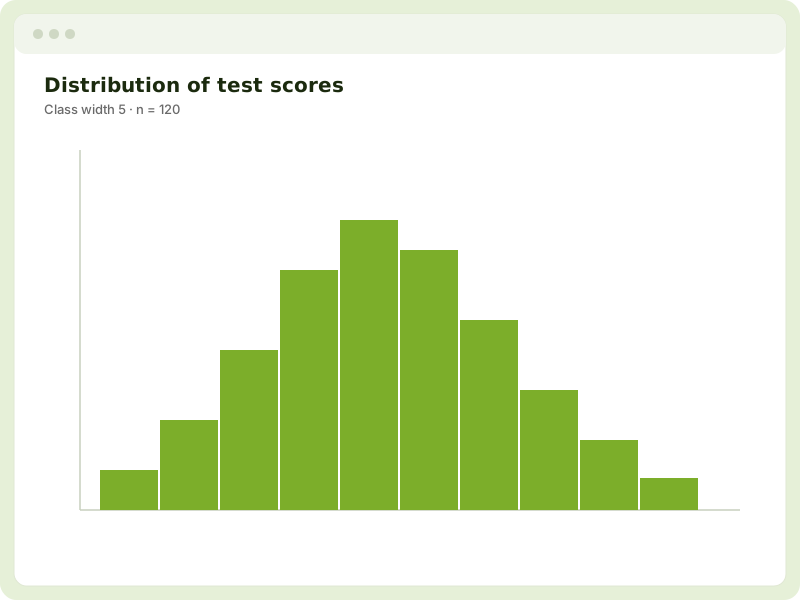
Histogram
Grouped frequency displays with adjustable class widths for continuous data.
Bar graph
Counts and proportions for categorical variables, including segmented comparisons.
Scatter graph
Bivariate plots with regression lines, correlation and residuals for relationship analysis.
Pie & donut
Part-to-whole displays for categorical data when proportion is the message.
Time series
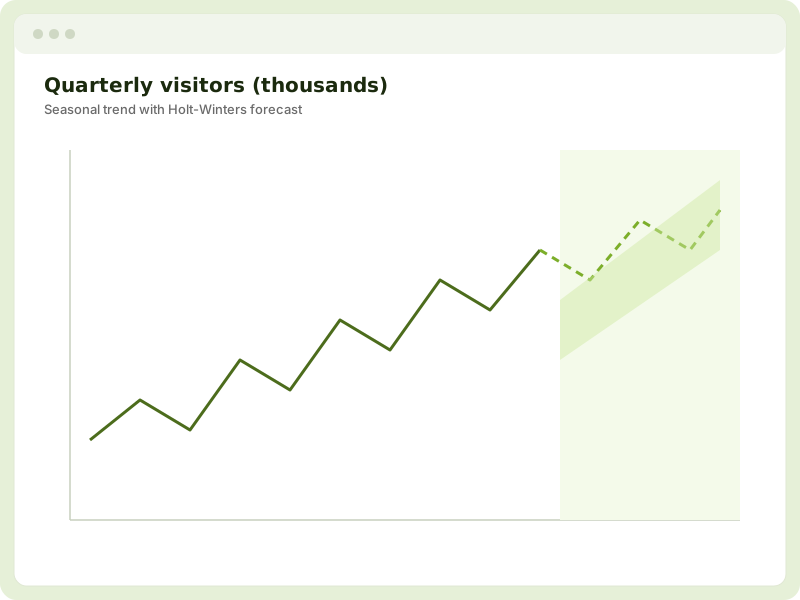
Trend and seasonal patterns with STL decomposition, seasonal effects and a Holt-Winters forecast.
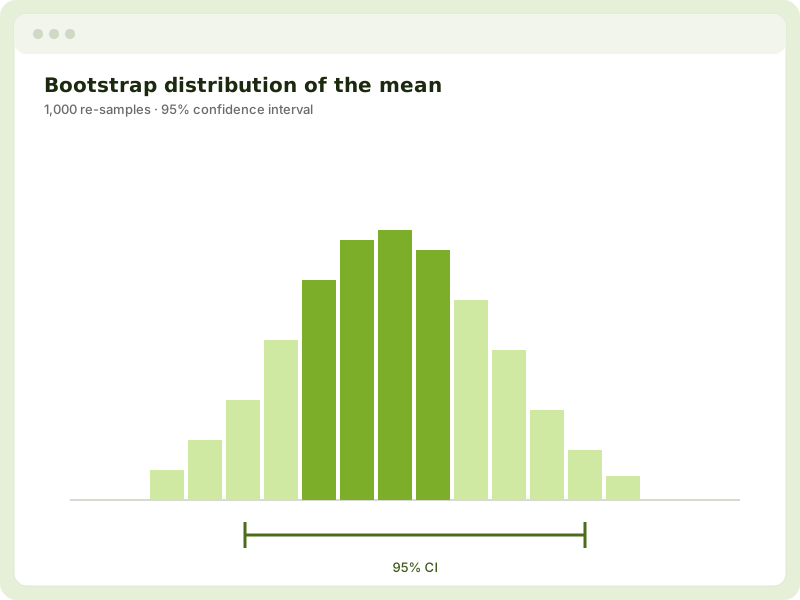
Bootstrap confidence intervals
Build a re-sampling distribution and read off a confidence interval for a sample statistic.
Re-randomisation
Test for a difference between groups by shuffling the data many times over.
Teaching tools
Animations that teach statistical inference
KiwiGrapher's animated models were built for the classroom. Show sampling variability as samples are drawn, build up confidence-interval coverage over many repeats, simulate from a model, and run bootstrap and re-randomisation demonstrations live, turning abstract inference into something students can watch happen.
Time series
Decompose, model and forecast
Convert and encode time-series data, separate the trend from seasonal effects with STL decomposition, inspect the seasonal pattern, and project forward with a Holt-Winters forecast, ideal for senior time-series standards.
Data tools
Shape your data without leaving the page
Clean, transform and sample data right where you graph it.
Sort & filter
Order and subset your data to focus on the cases that matter.
Random & stratified sampling
Draw simple random or stratified samples to explore sampling variability.
Create variables
Add calculated columns with a safe, custom formula builder.
Re-group & encode
Re-group categories and convert or encode variables, including time series.
Probability simulation
Simulate from a probability model to explore expected behaviour.
Manual event recorder
Capture observations live, handy for tally and experiment activities.
Import & export
Bring data in, take results out
Works with the formats you already use, and exports that look great in reports.
CSV & Excel import
Open .csv and .xlsx files, or paste straight from your clipboard.
PNG & SVG export
Save crisp raster PNGs or scalable vector SVGs for reports and slides.
CSV export
Export your working data, including any variables you've created.
Save & load sessions
Save your work and pick up exactly where you left off next lesson.
Privacy & performance
Private, fast and works offline
KiwiGrapher runs entirely in the browser. Data never leaves the student's device, there's no account to manage, and once the app has loaded it keeps working without a connection. It's fast and mobile-friendly, so it works on the devices your students actually bring to class.